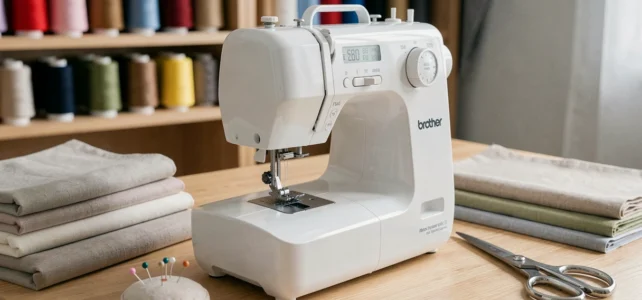
When unpacking the Brother FS40 for the first time, the natural instinct is to plug it in, thread it, and sew a hem on some jeans. We want to see if the machine lives up to its promises in real-world situations, not just on a technical sheet. This is exactly the approach we took for this test: starting from real sewing situations on various fabrics and observing how this electronic machine performs on a daily basis.
Getting Started with the Brother FS40: The Digital Interface, a Real Issue for Beginners
Most tests summarize the Brother FS40 as an “easy machine for beginners.” We found a disconnect between this label and the reality of the first use. The friction point is not in the sewing itself, but in learning the electronic interface.
Selecting stitches via a small screen, automatic adjustments for stitch length and width, navigating through menus: for someone not used to digital devices, the cognitive load is real. Recent feedback from beginners confirms that the digital interface can be more confusing than the act of sewing itself.
We compared our feelings with several reviews of the Brother FS40 published online, and this observation comes up often. The manual provided by Brother is comprehensive but dense. Our recommendation: spend a good half-hour going through the guide before even touching the fabric, testing each button without fabric.
Once this acclimatization phase is over, the logic of the screen becomes intuitive. Selecting stitches can be done with a few presses, and the automatic adjustments prevent fumbling with thread tension or zigzag width.
Brother FS40 on Thick Fabrics: Cotton, Denim, and Concrete Limits
We pushed the machine through several thicknesses to see where it struggles. On standard cotton and jersey, no surprises: the fabric feed remains consistent and the stitches are clean. The speed control allows for slowing down on tricky passages (curves, bag corners), which really improves the quality of the result compared to a standard pedal without fine control.
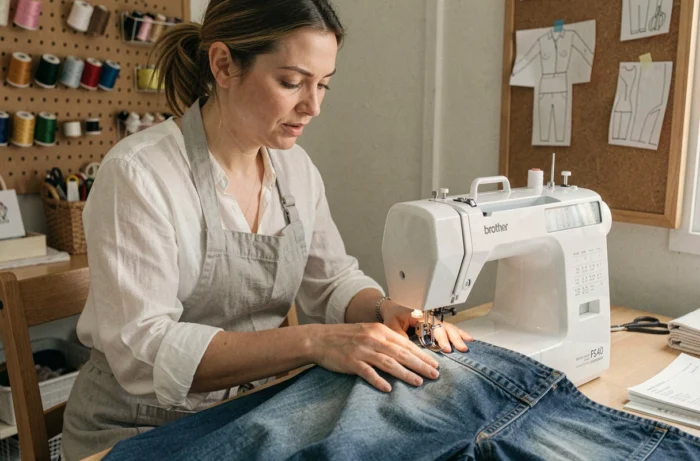
On double-layer denim, the FS40 manages, but you can feel the motor working. The standard needle is not enough: you must switch to a denim needle (appropriate gauge) and reduce the speed. We achieved clean stitches on three layers of denim, provided we guided the fabric slowly.
Beyond four layers of denim or on thin leather, feedback varies on this point. Some users report broken needles, while others manage by adjusting the presser foot. The machine is not designed for heavy-duty work on thick materials, and forcing it shortens the lifespan of the feed mechanism.
Settings to Adopt on Stubborn Fabrics
- Always switch to a reinforced needle (type 90 or 100) as soon as you exceed two layers of thick fabric
- Reduce the speed to the minimum using the speed control, and guide the fabric by hand without pulling
- Check the upper thread tension: on dense materials, too much tension causes skipped stitches or puckering
- Use the appropriate presser foot if the accessory kit provided includes one for thick fabrics
Automatic Buttonhole and Decorative Stitches: What Really Matters
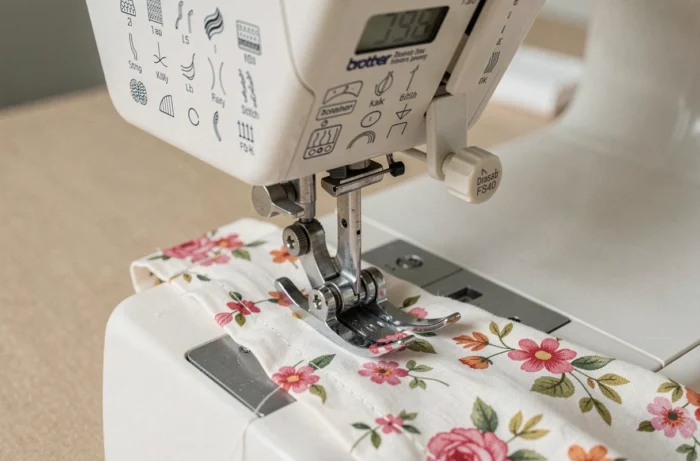
The Brother FS40 offers around forty stitches, including utility, decorative, and stretch stitches. On paper, the list is impressive. In practice, we regularly use only a handful.
The straight stitch, zigzag, and stretch stitch for jersey cover the vast majority of common projects. The one-step automatic buttonhole is the real asset in this price range. You place the button in the special foot, and the machine does the rest. The result is clean and reproducible, avoiding the nightmare of asymmetrical manual buttonholes.
Decorative stitches (scallops, waves, patterns) are mainly used to personalize creations or attach an appliqué. Let’s be honest: for daily use of alterations and simple sewing, they remain anecdotal. But for those sewing children’s clothing or accessories to give as gifts, they add a touch without investing in an additional machine.
Value for Money of the Brother FS40 Compared to Mid-Range Competitors
The FS40 is positioned in the entry-level range of electronic machines. At this price point, you can also find mechanical machines with comparable functions, but without the screen or automatic settings. The real trade-off is between digital comfort and pure mechanical robustness.
A mechanical machine of equivalent range is more forgiving of adjustment approximations and is easier to repair. The FS40 compensates with its ease of use: assisted threading, visible bobbin under a transparent cover, quick stitch selection. For someone who sews several hours a week on various projects, this comfort has concrete value.
What We Take Away After Several Weeks of Use
The Brother FS40 does exactly what you expect from a versatile machine in this range: reliable stitches on light to medium fabrics, an effective automatic buttonhole, and a speed control that facilitates technical passages. It does not replace a semi-professional machine for leather or heavy fabrics, but that is not its purpose.
The real question before purchasing concerns the relationship with the screen. If handling a digital interface holds you back, a well-chosen mechanical machine will do the same job with fewer functions but more simplicity. If, on the other hand, you appreciate automated aids and a variety of stitches, the FS40 remains one of the most reliable references in its category.